Download The Baby In Yellow APK 2.3.3 for Android
Team Terrible APK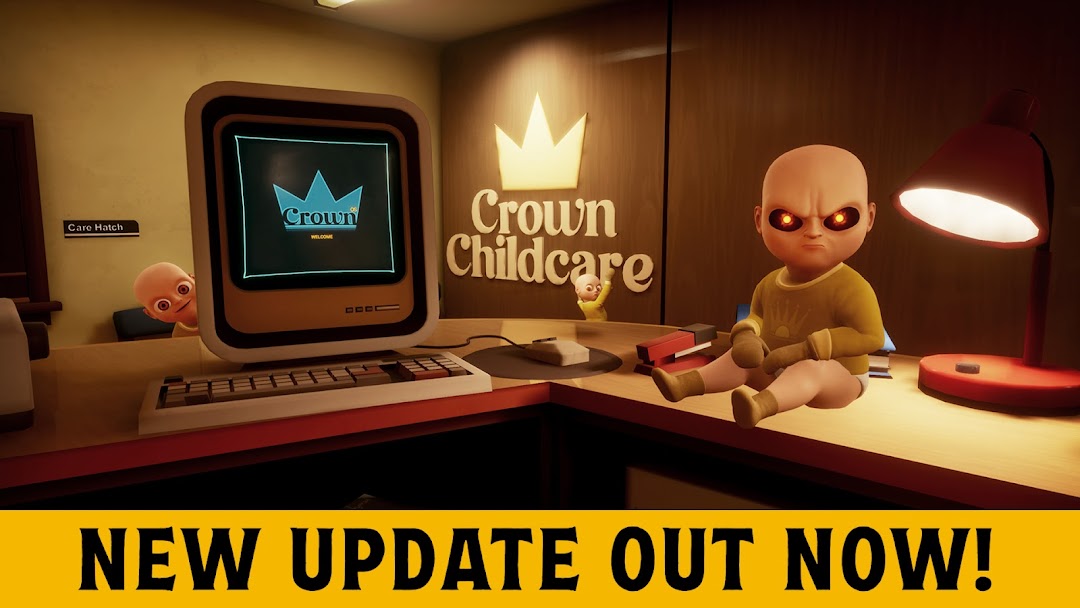
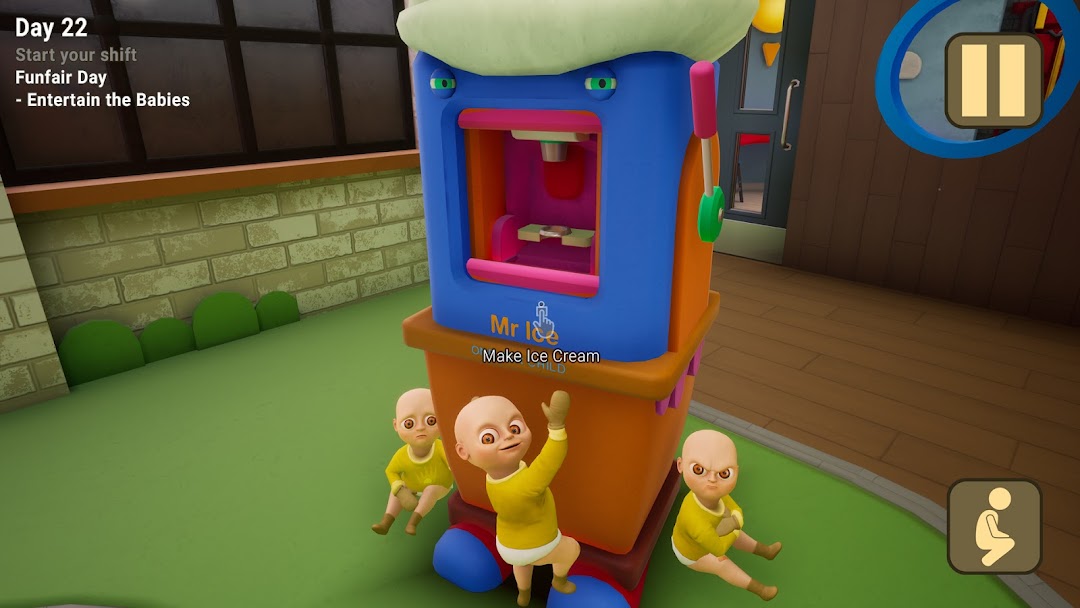
| Name | The Baby In Yellow |
|---|---|
| Publisher | Team Terrible |
| Version | 2.3.3 |
| Size | 190MB |
| Requires | Android 5.0 |
| Get it on | Google Play ↗ |
| Category | Action |
| Downloads | 805 |
| Price | FREE |
| Rating |
★
★
★
★
★
4/5
(2)
|
| Author | |
| Updated |
The Baby In Yellow looks like a calm babysitting sim for about ninety seconds, and then the toddler in the yellow jumpsuit starts floating across the room and you understand the real job is surviving him.
The Baby In Yellow is a first-person comedy-horror game from the indie studio Team Terrible, built on one grim joke: you signed up to mind a child, and the child wearing a yellow sweater turns out to be an eldritch thing that wants control of your mind. It began as a 48-hour entry for the GMTK Game Jam in 2020 and grew into one of the most-downloaded mobile horror games anywhere, passing 140 million installs across platforms as of early 2026. Most people who search the name land on the free Android build, and just behind it sits the MOD APK that removes the ads and unlocks the cosmetic skins. This guide covers what the game actually is in its current state, what that modded version really changes, and how to get it without handing your phone to a stranger.
- What The Baby In Yellow Is, And Why It Blew Up
- The Story And Chapters, From Nights 1–3 To Crown Childcare
- How The Baby In Yellow Plays On Mobile
- The Baby In Yellow MOD APK: What No Ads And Unlocked Skins Actually Change
- Original Free Version vs MOD APK vs Steam: Which One To Pick
- How To Download And Install The Baby In Yellow APK Safely On Android
- Is The Baby In Yellow Safe? Ads, Permissions, Account And Legal Risks
- Device Requirements And Fixing Common Problems Like Freezing And Lag
- The Baby In Yellow FAQ
- The Bottom Line
What The Baby In Yellow Is, And Why It Blew Up
The Baby In Yellow is a free single-player horror game where you play a babysitter looking after a supernatural infant, and it went viral because it pairs genuine dread with slapstick ragdoll comedy. Team Terrible created it in two days for a game jam, then quit their day jobs to develop it full time once the early versions started racking up millions of views on YouTube and TikTok.
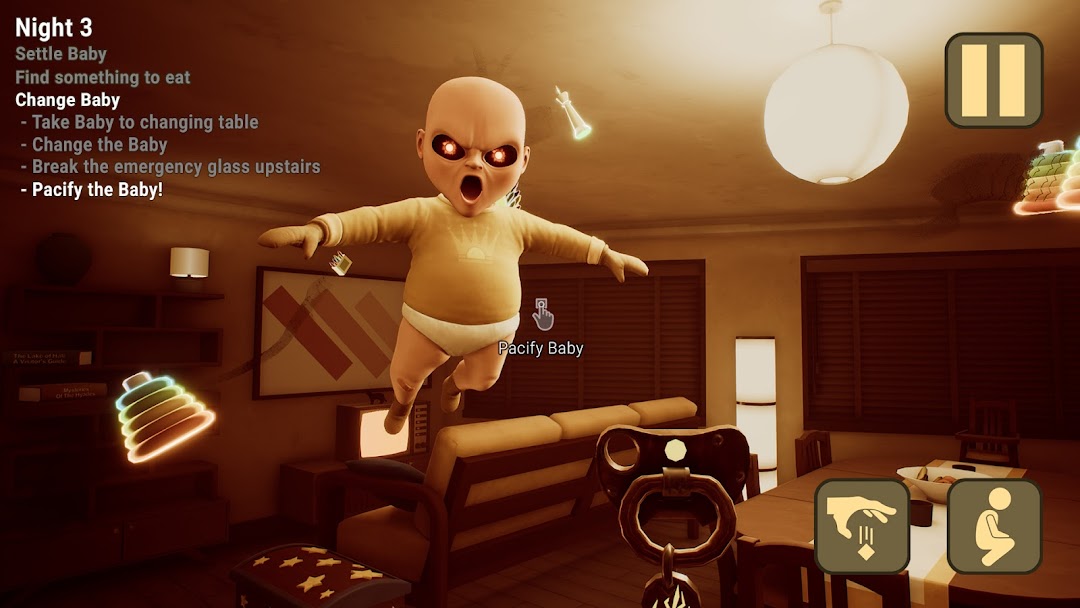
The title and tone borrow from The King in Yellow, the 1895 short-story collection by Robert W. Chambers, which is where the Lovecraftian flavor comes from. On the surface you are feeding a baby and changing diapers. Underneath, the game is about an entity slowly revealing itself, whispering at you to obey. That contrast is the whole appeal, because one minute you are warming a bottle and the next the Baby is hovering near the ceiling with red eyes.
The numbers back up the hype. On Google Play the game sits at 4.3 stars from roughly 667,000 reviews with 100 million-plus downloads, last updated June 4, 2026. The Steam release carries an “Overwhelmingly Positive” rating, with about 96% of 846 reviews positive. It runs on Unreal Engine, which is unusual for a free mobile title and explains why it looks sharper than most games in its category.
The Story And Chapters, From Nights 1–3 To Crown Childcare
The Baby In Yellow is told as a series of short stories across several Acts, and the mobile game now spans 11 chapters that gradually expose the Baby as a Hastur-like being trying to escape into the wider world. You experience these chapters through different babysitters, each one tempting fate in their own way.
The original section, Nights 1 to 3, is the “normal” babysitting job that quietly goes wrong over three evenings. After that, the studio kept adding story branches through major updates. The White Rabbit update, released December 12, 2021, added an escape route where you try to flee the house and free the souls the Baby has trapped. The Bedtime Stories update on June 4, 2022 introduced another alternate path and ending plus more secrets. A Christmas chapter arrived in December 2022 and was later retired as seasonal content.
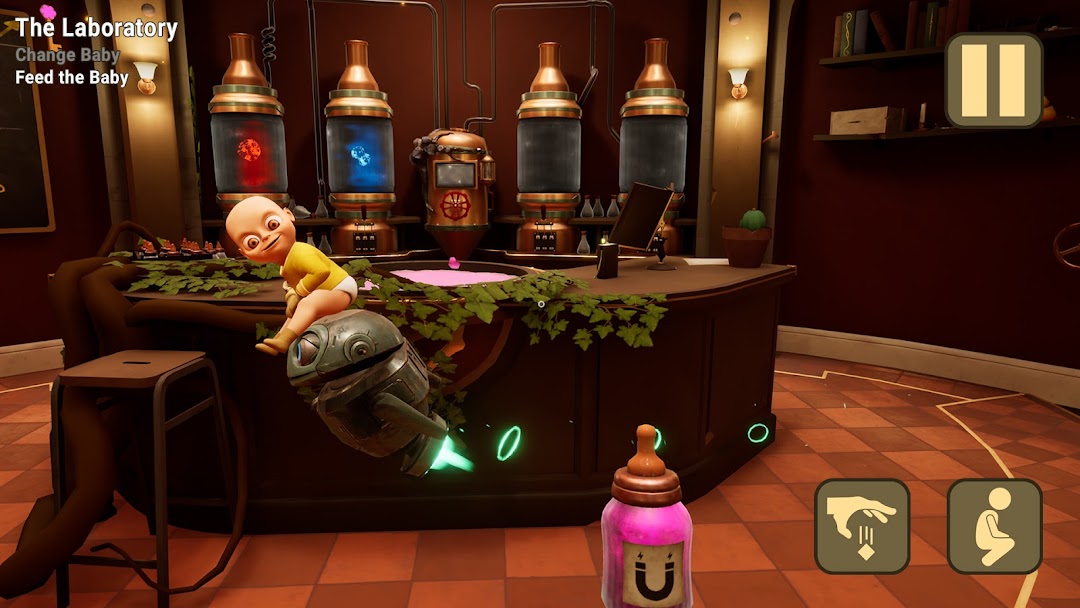
The bigger leaps came afterward. The Black Cat update was the studio’s largest, adding three new chapters, the Doctor’s secret Laboratory, an alchemy system for brewing potions to feed the Baby, and a robot to rescue. The Crown Childcare Act expanded the lore further and confirmed that the cat guiding you is not the friend it pretends to be. More recently, the Dark Whispers update rebuilt the visuals on Unreal Engine 5 and reworked older levels like Pickman’s Madness and The Exit so they feel tenser than before. There are multiple endings across Normal and Escape modes, so finishing once does not mean you have seen everything.
How The Baby In Yellow Plays On Mobile
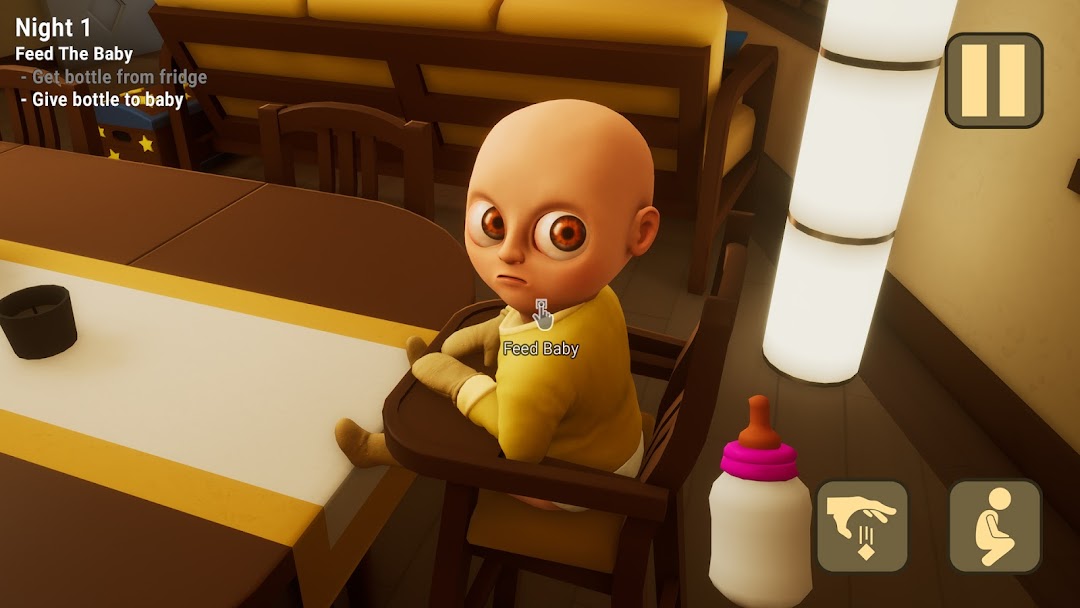
You follow a short to-do list in the corner of the screen, things like feed the Baby a bottle, change his diaper, and put him in his crib, while the Baby actively sabotages you. Controls are simple: a virtual joystick to move, tap to interact, and a first-person camera only. You can carry just one item at a time, so you set the Baby down before grabbing his milk.
What makes it fun is how little your “good behavior” matters. Soothing him barely works. He teleports between rooms, slips through doors, and attacks without warning, so the loop becomes part chore and part chase. The ragdoll physics turn that tension into comedy, because you can pick the Baby up and fling him around, and the game leans into it with secrets like BIG HEAD MODE, an unlockable cheats menu, and sandbox toys to mess with.
Sessions run a little over an hour for the core path, with extra time if you hunt down every collectable. The game is offline, so once it is installed you do not need a connection to play. It uses jump scares, but the mood leans more toward creeping dread and dark humor than gore, which is part of why it earned a Teen rating rather than a mature one.
The Baby In Yellow MOD APK: What No Ads And Unlocked Skins Actually Change
The MOD APK is a repackaged version of the same game, and its real changes are removing the ads and unlocking the cosmetic skins for the Baby. It does not add secret chapters or hidden gameplay, because the full story is already free in the official app. The most current modded builds track version 2.3.3, while older milestone builds like the Black Cat era 1.7.2 are still floating around on mirror sites.
This matters because mod listings often oversell themselves. Phrases like “unlocked levels” or “premium content unlocked” suggest the official game locks the story behind a paywall, and it does not. In the free version, every chapter is playable; what you pay for, if you choose to, is an ad-free experience and outfit cosmetics through in-app purchases. So in practice the MOD APK gives you two things: it skips the ads that interrupt the free version, and it hands you the costume skins without buying them.
The honest summary is that this is a cosmetic-and-ads mod, not a gameplay mod. If you have seen pages claiming the modded build unlocks levels that the free game hides, treat that as marketing rather than fact.
Original Free Version vs MOD APK vs Steam: Which One To Pick
If you only want to play the full story, the official free app on Android or iOS already gives you everything; the MOD APK mainly saves you from ad breaks; and the Steam build is the premium PC version with the best visuals. Each option suits a different kind of player, so the choice comes down to how much polish you want and how you feel about ads.
The free Google Play and App Store version is the safest path and costs nothing, with the trade-off that ads appear between sections and some players find them frequent. The App Store build requires iOS 15 or later and also runs on Apple Silicon Macs. The MOD APK suits players who want the same game without ads or who want the outfit skins unlocked, accepting that it comes from a third-party source rather than an official store. The Steam Early Access release, priced at 8.99 USD, is the premium experience: it runs on the upgraded engine, looks the sharpest, and directly funds the developers, which is why its reviews skew “Overwhelmingly Positive.”
Put simply, casual mobile players who do not mind ads should grab the official free app. Players who hate interruptions and want skins can consider the MOD APK from a source they trust. Anyone who wants the best-looking version and likes the idea of supporting a small studio should buy it on Steam.
How To Download And Install The Baby In Yellow APK Safely On Android
Installing any APK outside Google Play means letting your browser or file manager install from “unknown apps,” then opening the downloaded file, and finally turning that permission back off when you are done. The process is standard Android sideloading and takes only a few minutes, but the source you download from is the part that actually decides whether this is safe.
- Confirm your phone runs Android 8.0 or later, since the current build needs it.
- Download the APK, or the XAPK or OBB bundle, from a source you trust.
- Open Settings, then Apps or Security, and enable “Install unknown apps” for the browser or file manager you used.
- Open your file manager, find the file in Downloads, and tap it. If it is an XAPK, use a dedicated XAPK installer so the OBB data unpacks correctly.
- Tap Install, wait for it to finish, then disable the “unknown apps” permission again and launch the game.
If you want to check current builds before you start, you can browse the listing and other modded Android games on the modlmh homepage.
Is The Baby In Yellow Safe? Ads, Permissions, Account And Legal Risks
The official game is safe; the real risk with any MOD APK is the source, because a third-party file can be repackaged with malware between the developer and you. The good news for this particular game is that it is single-player and offline, so there is no online account to get banned, which removes the biggest danger that haunts modded multiplayer titles.
That still leaves the file itself. Before installing a modded build, check that the package name matches the official one, com.TeamTerrible.BabyInYellow, and look at the permissions it requests. A single-player horror game has no business asking for your contacts, SMS, or call logs, so treat those requests as a warning sign. Avoid sites that wrap the download in their own “installer” app, since that extra layer is a common way unwanted software slips in.
There is an ethical side too. Team Terrible is a small independent studio, and the free game is funded by the very ads and optional purchases that a mod strips out. Using a modded build to remove ads is not illegal in most places, but it does cut the income of the people who built something you enjoy. The ad-free purchase is inexpensive, and buying the Steam version or an in-app upgrade is the straightforward way to support them if the game earns a spot on your phone.
Device Requirements And Fixing Common Problems Like Freezing And Lag
The game needs Android 8.0 or later, or iOS 15 or later on iPhone, and the most common complaints are freezing after you switch apps and ad-related crashes in the free version. Most of these are quick to fix once you know the cause, and very few of them point to anything actually broken in the game.
The freezing issue usually happens when you leave the app, let your phone open another tab or an ad, and return to find the game stuck. The fix is to relaunch and continue from the last checkpoint, which the game saves at major points. On lower-end phones the Unreal Engine 5 upgrade raised the graphical demands, so closing background apps before you play helps with stutter. If you get a black screen on launch after a sideloaded install, the OBB data probably did not unpack, which is why an XAPK should be installed through a proper XAPK installer rather than opened as a plain APK. Losing progress after switching to a new phone is also common, because cloud saves are not fully reliable, although achievements often restore through Google Play Games. And if ads pop up every few minutes in the free build, that is the intended behavior, which the ad-free purchase or the MOD APK removes.
The Baby In Yellow FAQ
Is The Baby In Yellow free? Yes. The full game is free on Google Play and the App Store, including every chapter. The free version shows ads, and you can pay a small amount to remove them or to unlock outfit skins.
How many chapters are there and how long does it take? The mobile game now has 11 chapters spread across several Acts, from Nights 1–3 through Crown Childcare. The core story runs a little over an hour, with more time if you chase down secrets and alternate endings.
Is it suitable for kids? It carries a Teen rating for fantasy violence and crude humor, and it uses jump scares. Younger or sensitive players may find parts of it genuinely unsettling, so it sits closer to “spooky teen game” than “kids’ game.”
Can I play it offline? Yes. Once installed, the game runs without an internet connection, which is part of why it travels well on phones.
Is there a Night 4? The original arc is Nights 1 to 3, and the later content is structured as separate Acts and updates rather than a numbered “Night 4.” Searches for that usually lead to those newer chapters like The White Rabbit, The Black Cat, and Crown Childcare.
Does the MOD APK work with the current version? Modded builds usually catch up to the official release, so a current mod tracks version 2.3.3. Older mirrors may still list earlier builds like 1.7.2, which lack the newest chapters and engine improvements.
The Bottom Line
The Baby In Yellow earns its reputation as one of the better free mobile horror games, mostly because the babysitting-an-eldritch-baby premise is funny and frightening at the same time, and the updates have grown it from a 48-hour jam project into an 11-chapter story. If you just want to play, install the official free app, because every chapter is already there. If the ads bother you and you trust your source, the MOD APK removes them and unlocks the skins, with the understanding that it does not add hidden content. And if you fall for the game, the Steam version or the cheap ad-free upgrade is the fair way to back the small studio that made it. Whichever route you take, verify the file before you sideload it, and do not babysit anything that floats.
Có được tính năng vô hiệu hóa quảng cáo và da ong (bị vô hiệu hóa trong menu chính bằng một nút ở góc trên bên trái).
Install the official, unmodified build straight from Google Play.
Android emulator to run THE BABY IN YELLOW APK smoothly on PC.
Choose the source that fits your device
The Baby In Yellow
Original build on Google Play · Android
GET ↗
Play on PC with LDPlayer
Android emulator · supports The Baby In Yellow · Windows
GET ↗